Beautiful, Fun & Agentic Linux by DHH

The malleable OS for the age of agents.
Where you can vibe your way through every alteration, tweak, and desire.
Be the Omarch and command your agent!

We can fix some things fix everything —
every missing app, every incompatibility, every paper cut.

1–4 switch workspaces · t cycles the theme

omarchy-install-dashboard

Boot the ISO. Answer a few questions.

Keyboard, account, disk, encryption —
the installer takes it from there and teaches you the hotkeys while it works.

omarchy-iso

before you boot

the chapter
  1. Get the ISODownload 4.0.2 and put it on a USB stick with balenaEtcher (Mac, Windows) or caligula (Linux).
  2. Turn off Secure Boot and TPMIn your BIOS. The installer needs both off.
  3. Choose where it goesThe whole drive, or the free space next to Windows for a dual boot.
  4. Back up firstEverything is encrypted by default, and a full-disk install wipes the drive.

Dual boot and unattended installs have their own chapters.

hyprctl clients

The desktop does the tiling

Windows place themselves — on the desktop Super and one key splits, stacks and throws them across workspaces. Try it here: arrows move focus, Shift + arrows swap windows — or drag one onto another.

Windows place themselves — on the desktop Super and one key splits, stacks and throws them across workspaces. Try it here: hold a title bar and drag the window onto another.
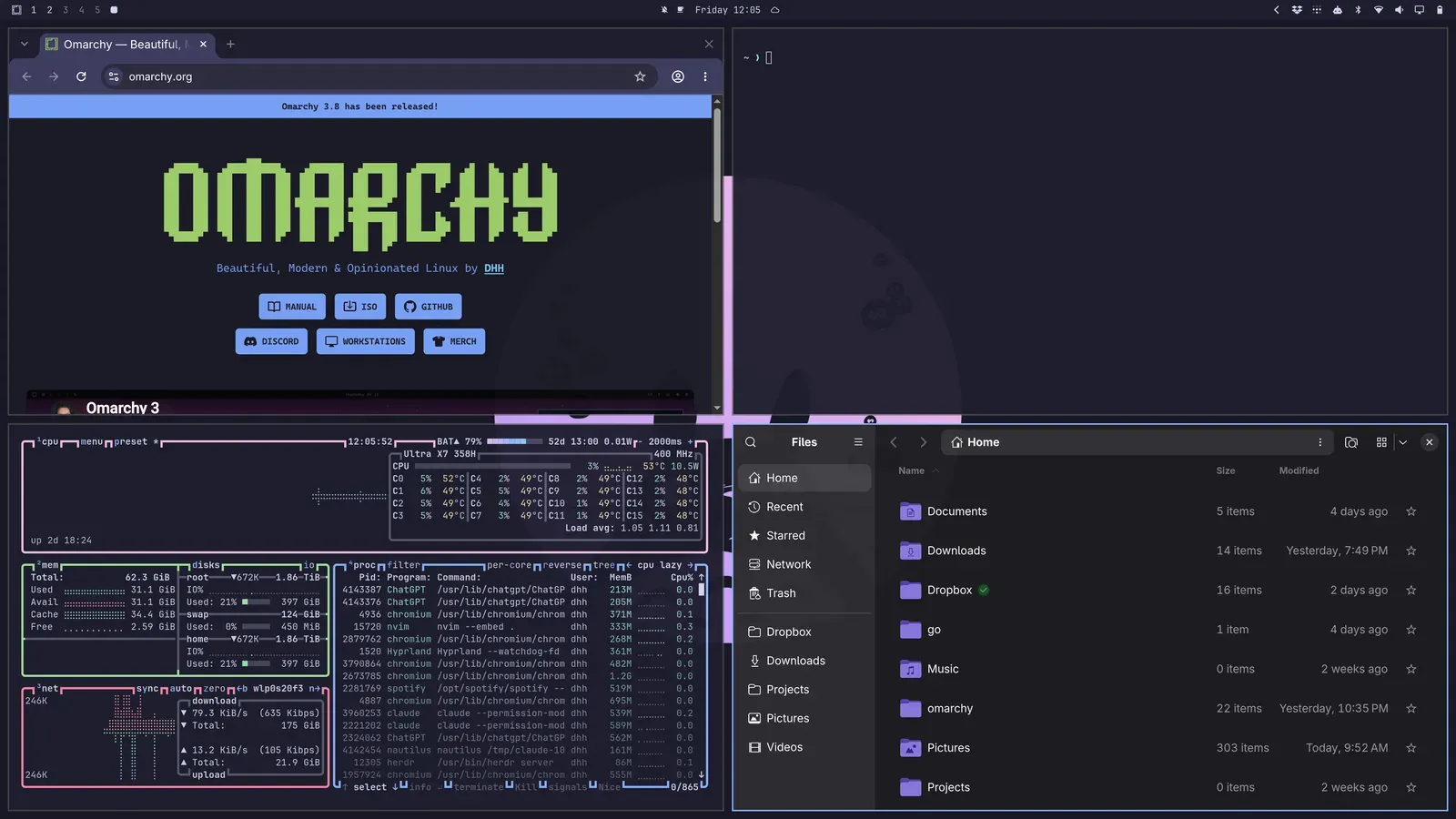
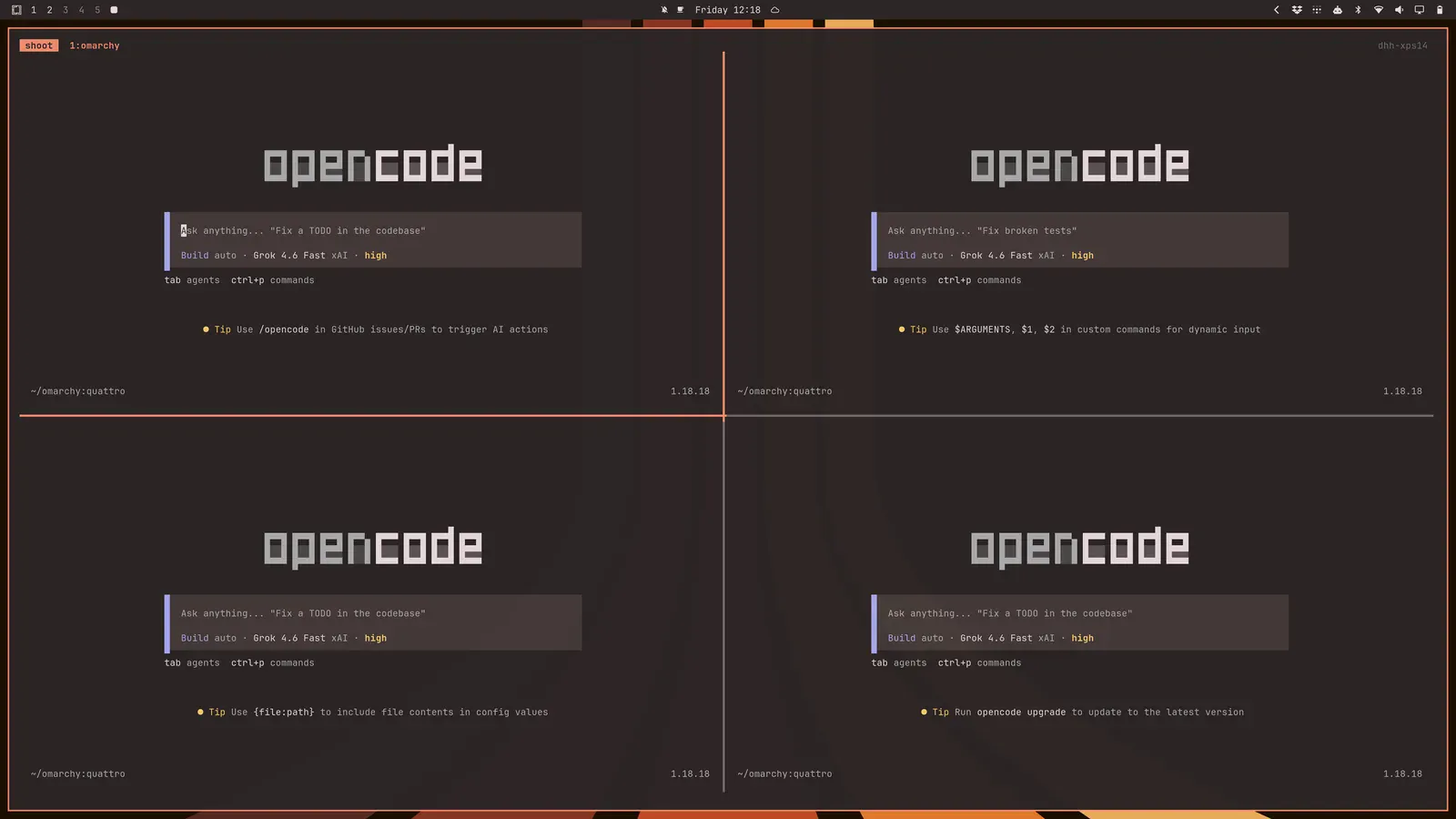
Hyprland four-way tilingworkspace 1
Four terminals and an editor tiled in four quadrants
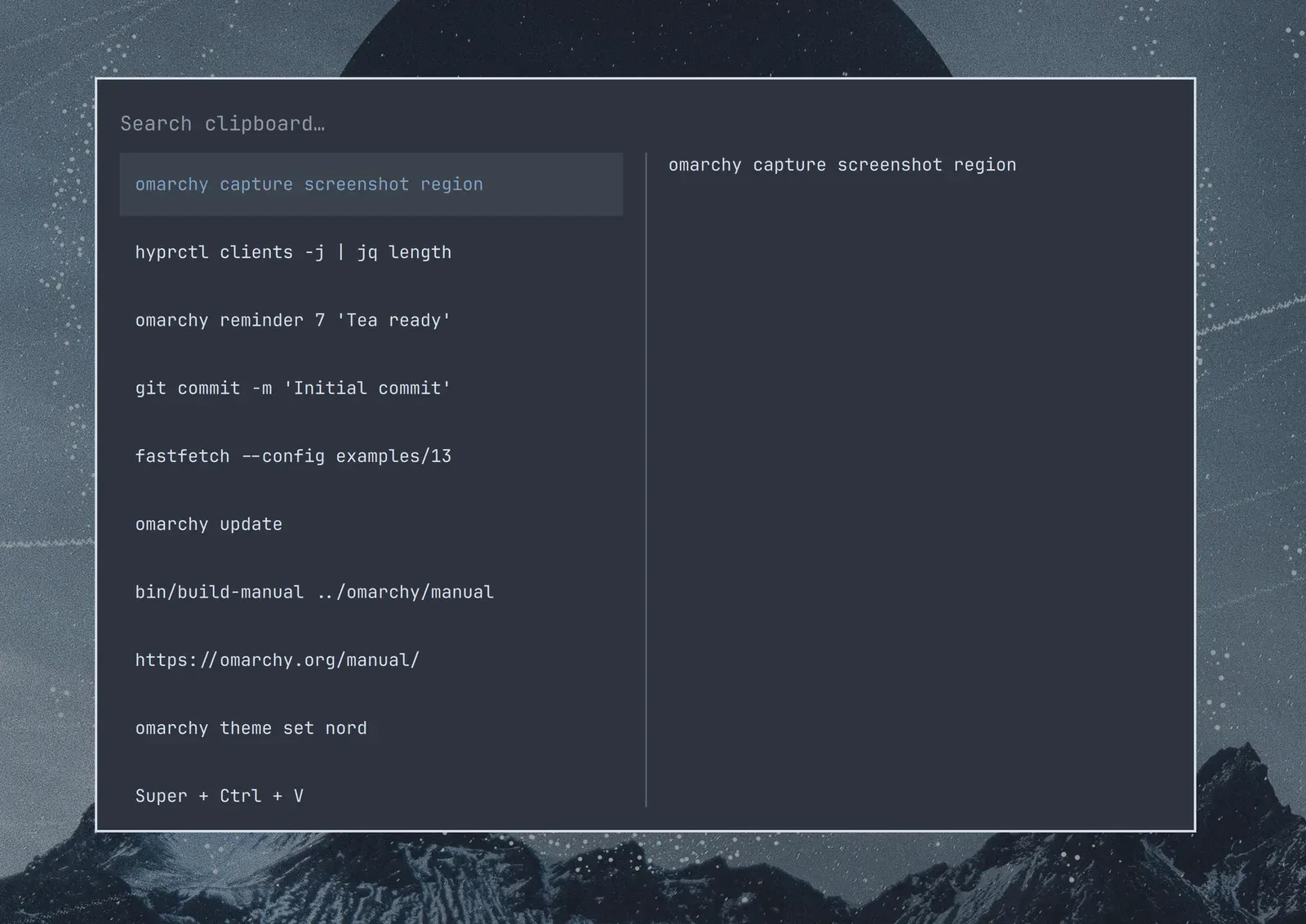
Clipboard historySuper + Ctrl + V
The unified clipboard history overlay listing recent copies
fastfetchlive
OS
Omarchy 4.0.2
Base
Arch Linux
Compositor
Hyprland
Font
JetBrains Mono
Theme
flexoki-light
Source
github.com/omacom/omarchy
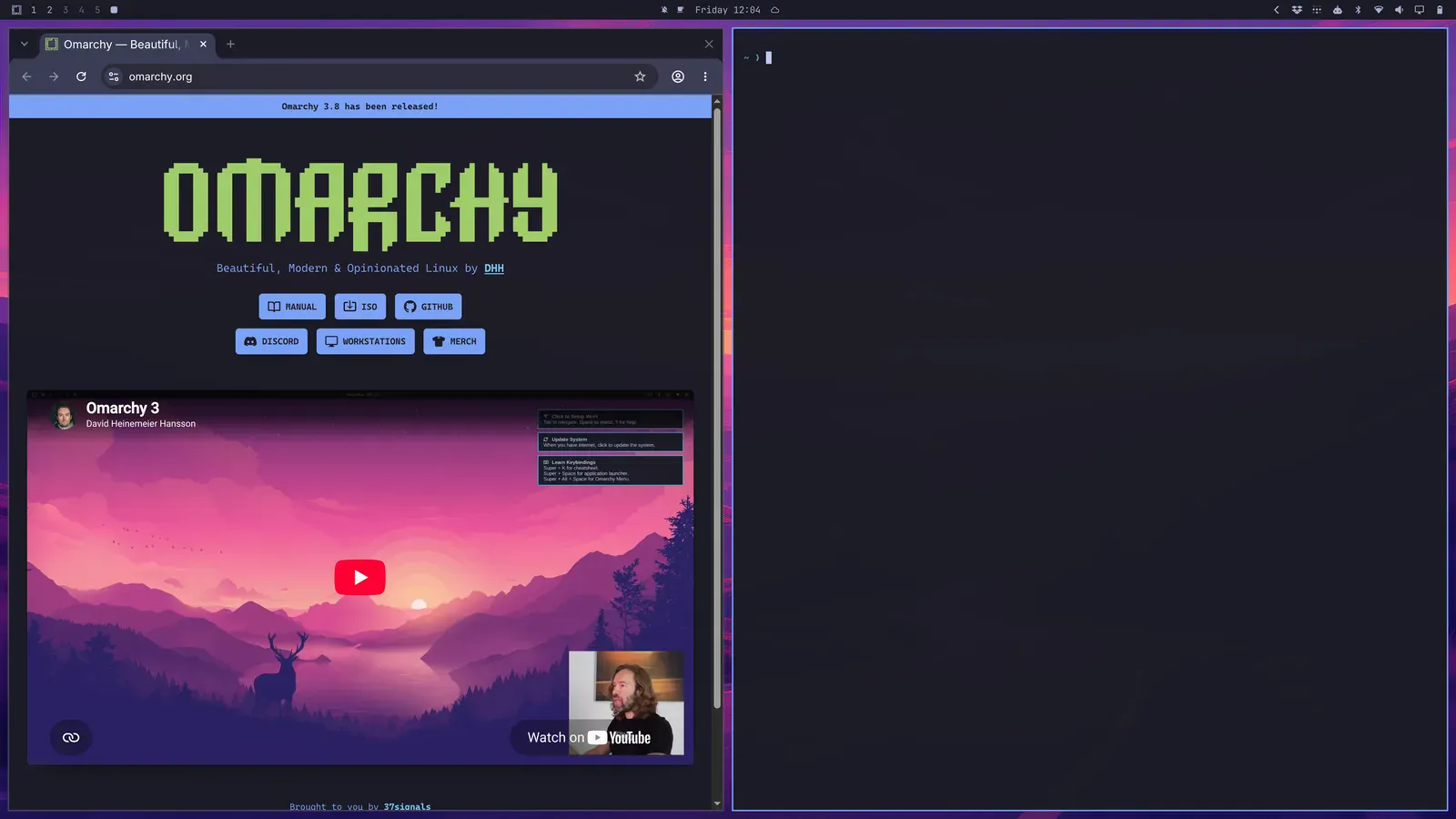
Browser and terminalworkspace 2
A browser and a terminal tiled side by side
tmux sessionworkspace 3
A tmux session split into several panes

←↑↓→ focus · Shift + arrows swap · drag to swap

hold the title bar to drag a window onto another

Keyboard-first

Super drives windows, workspaces and menus. The 1–4 and t keys on this page are a small taste of it.

Read the chapter

One clipboard, with history

Copy anywhere, paste everywhere, across the whole system.

Read the chapter

Web apps, first class

Installed and windowed like native applications, right from the menu.

Read the chapter

Ready for the age of agents

Your agent gets its own chapter, its own defaults and its own keys.

Read the chapter

omarchy menu summon style.theme

Light by default. Yours by choice.

One keystroke restyles terminal, editor, bar, menu, lock screen and wallpaper.
This page follows along. Every palette below ships in the repo.

flexoki-lightbackground
the theme's own wallpaperflexoki-light.webp

ls themes/

click any theme · t cycles
make your own

omarchy plugin add

Two thousand plugins, one command each

2,150 community plugins for the Quattro shell, each one command away.
Six of them, install line included.

Jankees van Woezik · Widgets

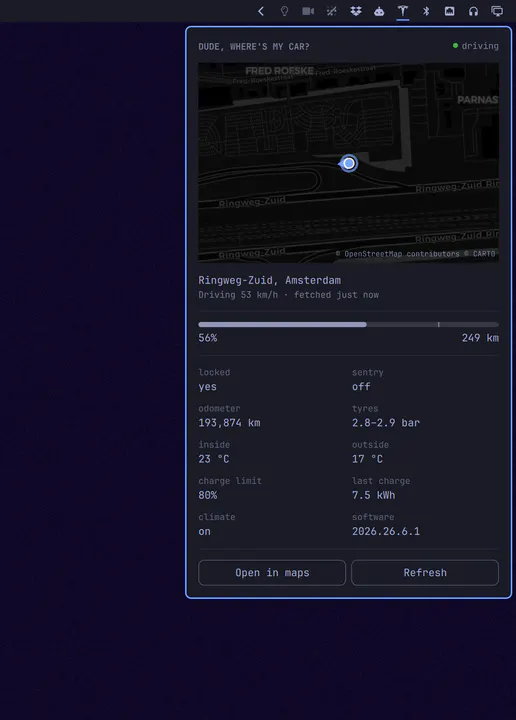
Your Tesla in the bar: where it is, how full it is, and how far that gets you

omarchy plugin add https://github.com/jankeesvw/omarchy-tesla.git --enable

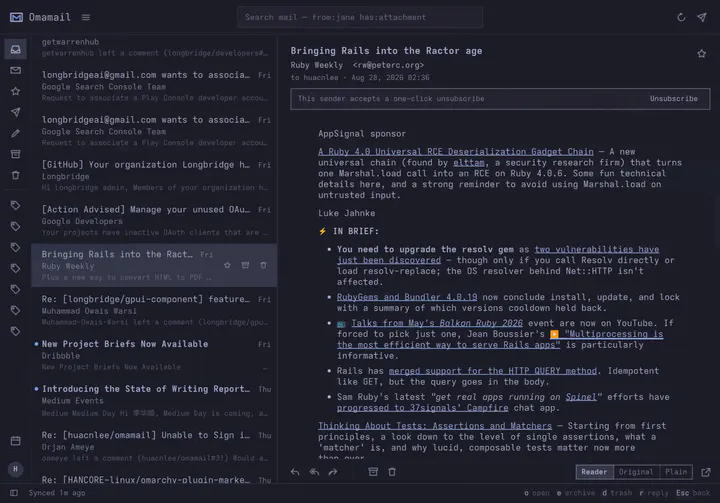
huacnlee · Productivity

Email client for Omarchy: read, triage, and reply to Gmail, HEY and any IMAP mailbox in a native window. Fastmail, iCloud, Outlook, Zoho, Proton Bridge, or your own server — several accounts at once, each with its own inbox and unread count. Keyboard-first, three columns when there is room and one when there is not, and it follows your theme. Meeting invitations are drawn as meetings you can answer, newsletters unsubscribe in one click, and remote images stay blocked until you ask.

omarchy plugin add https://github.com/huacnlee/omamail.git --enable

Jankees · System

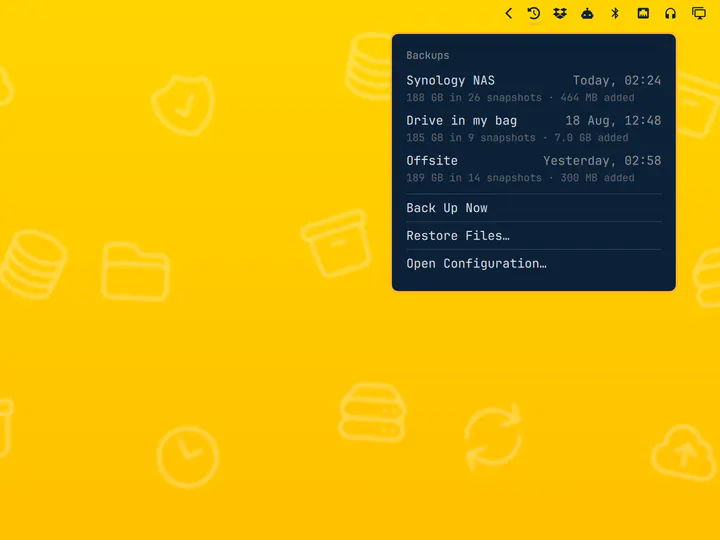
Scheduled restic backups with a destination picker and a snapshot browser

omarchy plugin add https://github.com/jankeesvw/omarchy-time-machine.git --enable

SirJul1337 · Appearance

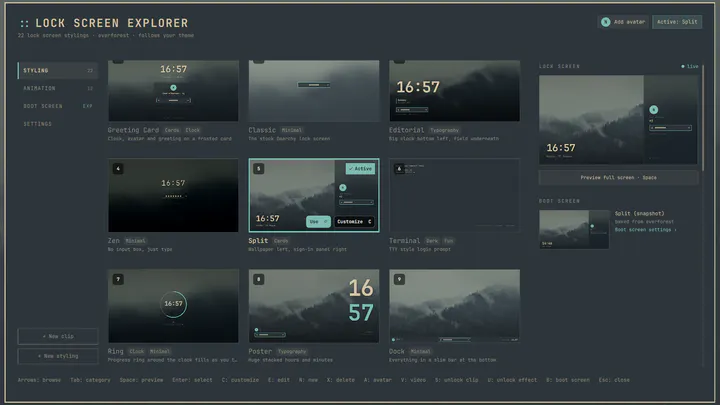
Lock screen designs for Omarchy with a picker to preview and switch between them

omarchy plugin add https://github.com/SirJul1337/omarchy-lock-explorer.git --enable

Rob Zolkos · Developer Tools

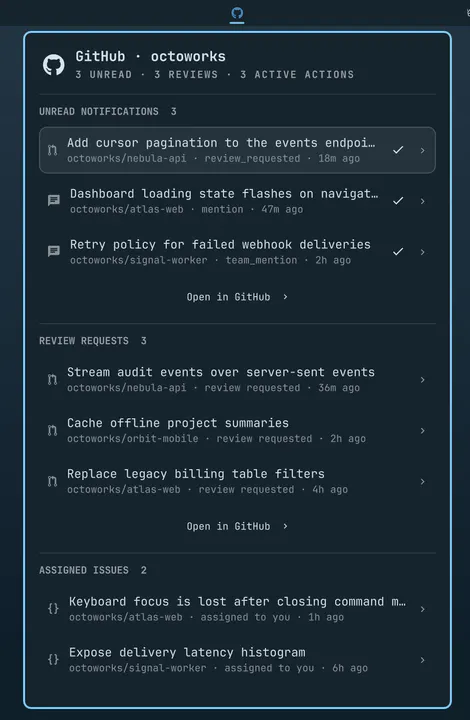
A keyboard-friendly GitHub inbox for notifications, reviews, your own pull requests, assigned issues, Actions, and repositories.

omarchy plugin add https://github.com/robzolkos/omarchy-github.git --enable

Carmine Paolino · Hardware

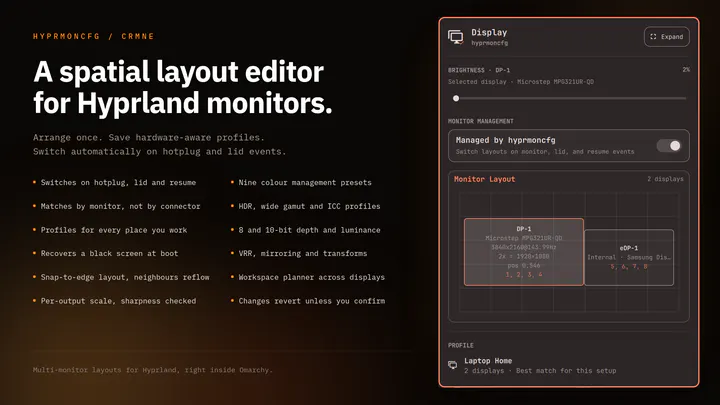
Plug your monitors in and the right layout comes back. Save a profile per setup and hyprmoncfg applies it automatically on hotplug, on lid open and close, and after suspend. Layout editor with per-display brightness, snapping, per-output scale and sharpness checking, HDR, wide gamut and ICC colour management, mirroring, rotation, and a workspace planner. Profiles match monitors by make, model and serial rather than the port they are plugged into, so moving a cable does not break your layout.

omarchy plugin add https://github.com/crmne/omarchy-hyprmoncfg.git --enable

catalog checked Sep 3 · browse all 2,186

mpv playlist.m3u

Watch somebody else use it

The introduction, and four takes from people who installed it and kept it.

Omarchy Quattro — four tiled terminals PLAY
Omarchy QuattroDavid Heinemeier Hansson
NetworkChuck on switching to Linux PLAY
You need to switch to Linux RIGHT NOW!!NetworkChuck
typecraft on Omarchy PLAY
They finally fixed linuxtypecraft
LinuxBTW reviewing Omarchy 4 PLAY
I Didn't Expect Omarchy 4 to Be This GoodLinuxBTW
Alex Finn on running agents in Omarchy PLAY
If you use AI, switch to Omarchy immediatelyAlex Finn

grep -ri omarchy x.com

Heard on the timeline

A hundred thousand people installed it in a week.
Eight of them, in their own words.

On Omarchy for the last few days. Wanted a dock, so I built it with an agent. Wanted an infinite canvas, so I built it with an agent. Want a new file manager, being built now. Yes it's not super polished yet. But there is no going back to a locked down OS. You build your own apps. You build your own OS. PS: Posting from a MBPro because it's 2:43AM and I can't begin to learn Kdenlive now.

Zsolt Kacso@kaolti · Aug 27on X

If you use AI, you need to switch to Omarchy immediately It is an AI first, open source operating system by @dhh and it has skyrocketed my productivity In this video I cover how to use it, how to install it, and why I'm having more fun using computers than I ever have before:

Alex Finn@AlexFinn · Aug 28on X

Just finished @lexfridman interview with @DHH. Absolute hopecore. Truly a cure for AI psychosis. I'm excited about how a single person can actually compete with Apple, Google and Microsoft in the OS space with the help of agents. AI is an incredible amplifier. And I actually love the idea. I don't want to live in this Cyberpunk 2077 world where we only have these 5 corporations that exist forever, and that's it. Even if I don't agree with DHH on everything (although I still agree on many things), he's the person I can easily listen to for 5 hours. I just have to install Omarchy after this, don't I? You'll never guess which feature finally motivated me to get over the struggle of *checks notes* a 1-minute installation.

Dmitrii Kovanikov@ChShersh · Aug 30on X

I finally looked into Omarchy and I can see why dev twitter is suddenly obsessed with it. It’s basically Arch with somebody else making all the hard/endless decisions for you. Hyprland. Terminal first. Keyboard driven. Neovim. Plain config files. Very little “click through six settings panels and hope for the best” This style of OS makes a lot of sense now with ai. An agent can read the config, edit the config, install the package , restart he service, inspect the logs and change the workflow. Which is weird because the future of ai computing might end up looking a lot like the old way of using computers: files, terminals, scripts, text and a machine you can actually understand.

Lars Jansen@oldstackjournal · Sep 1on X

I'm officially installing Omarchy everywhere. This OS is just so good and it just doesn't stop growing on me 🤌 Please create Omarchy Android, @dhh. I want to go all-in!

Simon Høiberg@SimonHoiberg · Sep 1on X

Using Omarchy for a week now, and needed the ability to mirror my screen to and AppleTV at the office (and home) for some presentation. Within ~30 mins, a plugin that can mirror screen and windows from Omarchy was created. The malleable computer from @dhh is the future happening in front of our eyes. https://github.com/ETroll/omarchy-airplay

Karl Løland@etroll · Sep 1on X

Omarchy is interesting because I can prompt to configure my computer exactly to how I like it I can live out my computer dreams by just typing a few prompts you cooked @dhh

Micky@Rasmic · Aug 29on X

I will say this much about Omarchy: I haven't seen this kind of popular energy around an OPERATING SYSTEM, since Windows 95. This definitely has that "Where Do You Want To Go, Today?" feel to it. https://www.youtube.com/watch?v=wRdl1BjTG7c

Greg Gauthier@gmgauthier1967 · Aug 30on X

btop

Real money, real commits

Twelve days of funding, eighteen days of downloads and a year of commits,
pulled straight from the news and the repo.

foundation

the patrons

$13Mraised in twelve days

downloads

the numbers

200,000ISOs in eighteen days

from 215 countries and territories

github

the repo

37,519stars

3,938 forks · 444 contributors

commits

52 weeks

3,941in the last year

figures checked Sep 3

who

The people behind it

Core sets the direction, Security keeps your system safe,
and the Rangers help newcomers find their way.

tail -f news.log

Something ships almost every day

ls news/

all news

wecanfixeverything.com

We can fix some things
fix everything

Every missing app, every incompatibility, every paper cut.
Here is where it happens — we mean it.